AI image tools spent a long time being good at mood and bad at delivery. You could get a handsome product shot, then spend the afternoon rebuilding the label in a design app because the letters had melted.
You could get a logo concept, then redraw it by hand because the background would not come off cleanly. The pictures were interesting. They were rarely files you could drop into a campaign.
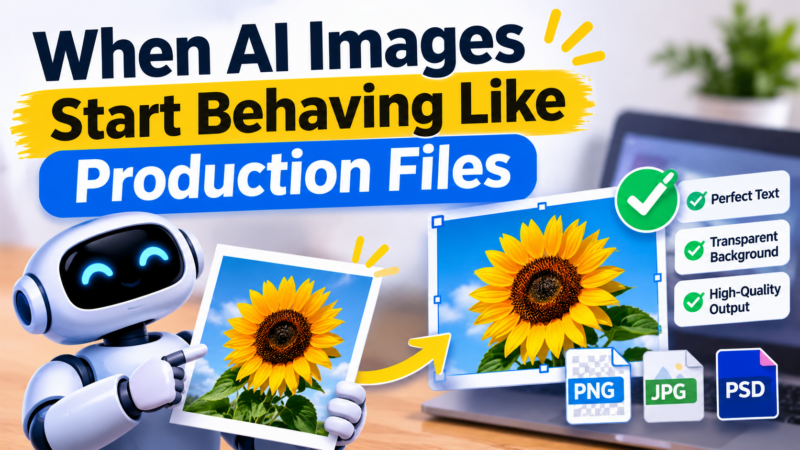
What has started to shift is practical, not dramatic. Newer image models are being sold on two old production problems: printing the exact words you asked for, and handing back a cutout you can place on a slide, a shop page or a shirt design. The credit cost of doing that work is falling too.
Take ByteDance’s Seedream 5.5, the successor to Seedream 5. PixelDojo’s page for the model, updated 12 November 2026, puts a 2K image from a text prompt at 1 credit. The same size on Seedream 5 Pro is listed as 2.75 credits on both that page and PixelDojo’s pricing page.
That is well under half the credit cost for the same resolution, if those published figures hold for your settings. The tool shows the price before you generate, which is the number that matters.
What the typography claim actually says?
The Seedream 5.5 page claims the model spells every word you put in quotes. Its examples include a plant-shop photograph with three separate pieces of lettering: a painted sign reading “THE GREEN ROOM”, a chalkboard line, and a paper tag.
It also shows a concert poster with four lines of type and a four-step coffee infographic. Those are the vendor’s own examples, produced on the same page, so treat them as a reason to test your real title, not as a promise.
The prompting habit on that page is simple enough to reuse with any model:
- Open with what the picture is, such as a poster, a badge or a product photograph.
- Put every line that must print in double quotes, and say where it sits.
- End with a firm instruction. On that page the closing line is “the text must be exact”.
- Keep the text short. A headline and a date will usually have a better chance than a paragraph.
Cutouts as a workflow, not a trick
The other production change is the background. Seedream 5.5 adds a see-through background option that, according to the page, returns a PNG with nothing behind the subject.
The examples used for this are a sticker sheet and a surf-school badge logo. That matters more than it sounds. Plenty of everyday design work is not a full-bleed photograph. It is a mark, a product, or a character that has to sit on someone else’s color.
The page says this works from a prompt or from your own photos. If you already have a pack shot, try dropping the cutout onto a light background and a dark one, and see whether it holds up.
Edits without starting over
Seedream 5.5, like Seedream 5, accepts up to 10 reference images. With references, a 2K image is 1.5 credits and a 1K image is 1 credit.
From a text prompt alone, 2K is 1 credit and 1K is 0.5 credits. The page describes 2K as about 4 megapixels, with aspect ratios of 1:1, 16:9, 9:16, 4:3, 3:4, 3:2, 2:3 and 21:9. For 4K, it points you to Seedream 4.5 rather than promising a 4K file from 5.5.
That mix is what makes the model interesting for an in-house team. Draft the layout at 1K, spend the 2K credit on the frame you mean to publish, and use references to keep a product or a face consistent across a set. PixelDojo’s examples walk through that edit loop, but they are still the vendor’s own results.
What it costs on a real plan?
Seedream 5.5 is included in every PixelDojo plan, which start at $10 a month. The pricing page lists Lite at $10 for 160 credits (6.25 cents each), Pro at $25 for 500 credits (5 cents each) and Pro Max at $50 for 1,100 credits (4.55 cents each). Credits roll over while you stay subscribed. On Lite, the 1-credit 2K image is listed on the model page as $0.06.
A free account is not a free Seedream 5.5 studio. PixelDojo’s pricing page offers three photo or video effects a day, with a small watermark, and no card required. That is a way to try the wider product, not a pool of free 2K stills from this model.
If you do test unreleased work on a free plan, read the terms first. They say free-plan creations go to the community gallery by default, except for users in the European Economic Area, the United Kingdom and Switzerland. You can keep a free creation private or remove it, and it appears publicly only after gallery review.
Rights, labels and a sensible first test
Do not lean on the short “you own what you make” line that appears in the model FAQ. PixelDojo’s terms, version 6, effective 4 November 2026, are more careful. The company assigns you whatever rights it holds in the output. It does not promise that the result is unique, original, or free of other people’s rights, and you are responsible for how you use it.
Where a platform or the law requires you to label synthetic media you publish, you must label it. If you edit with photos of real people, the terms also require the rights and consents the law asks for.
A tool like PixelDojo puts Seedream 5.5 next to a long list of other image and video models on one plan, so a team can run the same brief through more than one engine and keep the file that actually spells the name. The useful experiment is small: one real headline, one real product, one cutout, and a proofread before anything goes live.
This is not a model that replaces a designer. It is a cheaper, more reliable first pass at the repetitive files around a launch, provided someone still checks the type.