For years, managing a proxy account meant two options: clicking through a dashboard or writing code against an API. The Model Context Protocol (MCP) adds a third: you tell an AI agent what you need, and it calls the provider’s tools for you.
The proxy market counts dozens of providers, including some of the largest data infrastructure companies, yet only a handful have released MCP servers so far. Most of those servers collect web data or search documentation rather than run the account.
FineProxy is one of the few whose MCP server manages the account itself, from quoting and buying proxies to replacing IPs and handling invoices.
Among the other early adopters, Bright Data and Decodo offer MCP servers for collecting web data, Infatica’s runs scraping jobs on its data platform, and IPRoyal’s answers questions from its documentation.
Which approach fits depends on whether you want an agent to operate your proxies, to collect data with them, or to help you set them up.
What MCP changes?
MCP is an open standard that lets an AI client such as Claude, Cursor or VS Code connect to an outside service and use its functions as “tools”.
Each tool describes itself: its name, what it does and which parameters it takes. The agent reads those descriptions and decides which tools to call, in what order, to finish the task you gave it.
- Compared with a dashboard, the difference is in multi-step work. Buying 300 IPs split across three countries in a dashboard means checking stock, filling a form for each country and confirming payment. With MCP, the request is one sentence: “Get me 300 datacenter IPs, 100 each in Germany, the UK and the Netherlands, for a month, under $40.” The agent checks availability, asks the provider for a quote and shows it to you before buying.
- Compared with an API, the difference is in who writes the glue code. An API needs a developer to read the reference and code each call. An MCP server exposes the same operations in a form the agent discovers by itself, so a team without a developer on hand can still automate routine work: weekly renewals, replacing IPs that started failing, pulling invoices for accounting.
- The catch is control. An agent that can spend money or delete services must be limited the same way a new employee would be. Useful MCP servers for account management come with permission scopes (read-only keys, separate rights for spending), confirmation before irreversible actions and protection against double charges. Without those, an agent’s mistake costs real money. The sensible start is a read-only key, with write and payment rights added once you trust the workflow.
Three kinds of MCP in the proxy market
“Has an MCP server” can mean very different things:
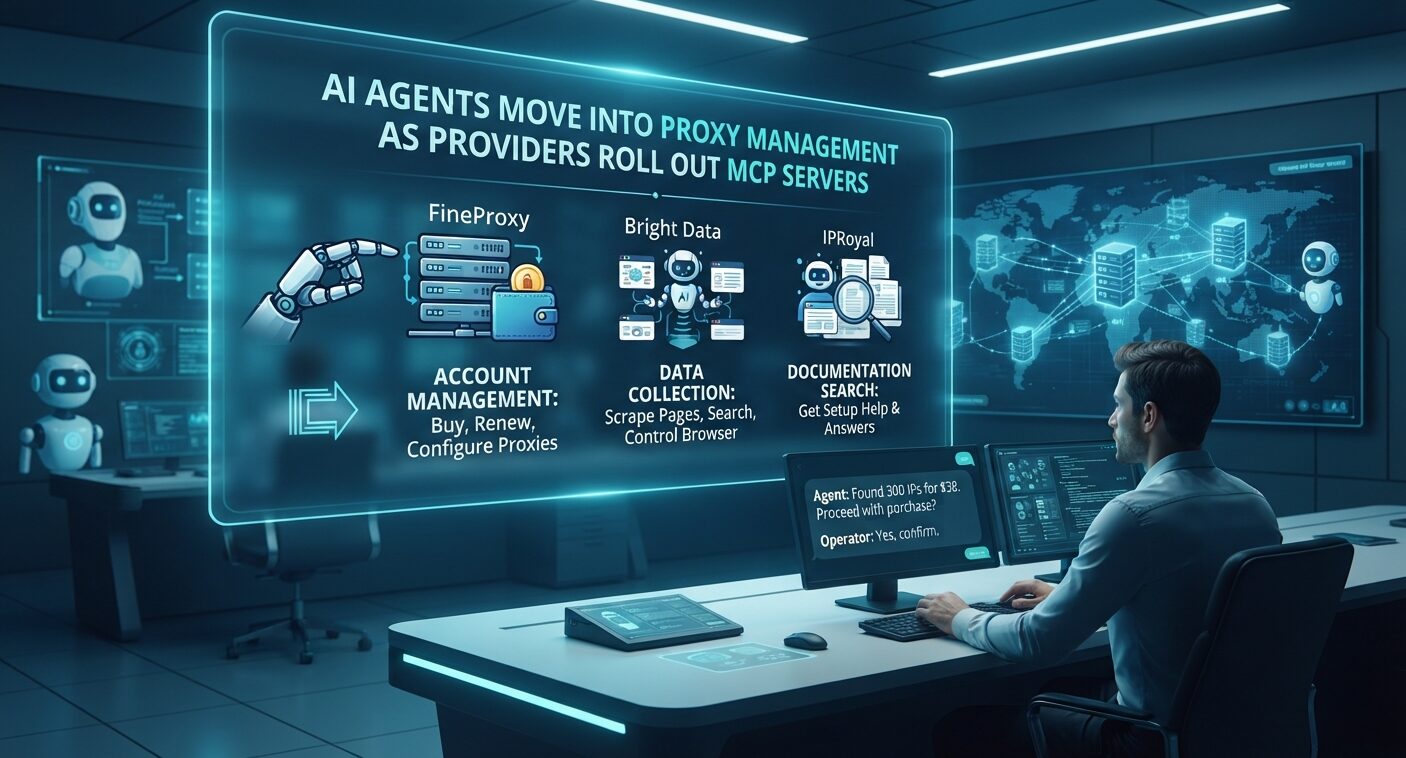
- Account management: the agent buys, renews and configures proxies, manages allowlists and reads invoices.
- Data collection: the agent scrapes pages, runs searches or controls a cloud browser; proxies work in the background, but the agent doesn’t manage your proxy account.
- Documentation search: the agent can search and quote the provider’s help pages, which helps with setup but doesn’t touch your account.
Comparison at a glance
Checked on providers’ documentation in November 2026.
| Provider | MCP type | What the agent can do | Authentication | Tools |
|---|---|---|---|---|
| FineProxy | Account management | Quote, buy, renew, replace IPs, allowlists, usage, invoices, tickets | Bearer API key with scopes | 49 |
| Bright Data | Data collection, plus docs MCP | Search, scrape, structured data, cloud browser | API token | About 30 |
| Decodo | Data collection, plus docs MCP | Scrape pages to Markdown, parsed Google and Amazon results | API key or OAuth | 33 (24 hosted) |
| Infatica | Data platform | Create, schedule and export scraping runs; usage and balance | Personal access token | 28 |
| IPRoyal | Documentation search | Search docs, read pages, ask questions | None needed | 4 |
What to check before connecting an agent?
What does the server actually control?
Read the tool list, not the landing page. A server with scrape_page and search tools collects data; one with order, renew and allowlist tools changes your account. Both are useful, but they solve different problems.
Can you limit what the agent may do?
Look for permission scopes on API keys, so a monitoring agent gets read-only access and only a reviewed workflow gets spending rights. Check whether keys can be revoked without affecting the rest of your setup.
How are payments protected?
For servers that can buy, check three things: a quote the agent must show before ordering, rejection of an order if the price changed, and an idempotency key so a retried request isn’t charged twice.
Which clients and transports does it support?
Hosted servers over HTTP work from most MCP clients without installing anything. Self-hosted or open-source servers give more control but need maintenance.
1. FineProxy: an MCP server that runs the proxy account
FineProxy built its MCP server around the proxy account rather than around data collection. According to its agent documentation, the server exposes 49 tools over JSON-RPC 2.0 and Streamable HTTP at one hosted endpoint, and the same operations are available through a REST API with an OpenAPI 3.1 specification. It works with Claude, Cursor, VS Code, Cline, n8n and other MCP clients.
The tools cover the full account cycle. Before buying, the agent can list countries and live IP stock and get an exact quote for a multi-country package without paying; the standard purchase sequence is list_countries, quote_composite, then order_composite.
After that it can renew, suspend or cancel services, turn auto-renewal on or off, replace or add IPs, change proxy credentials and manage the allowlist. It also reads usage over time, top destinations and error categories, downloads invoice PDFs and opens or answers support tickets.
Control is built into the keys. Permissions are split into scopes such as services:read, usage:read, wallet:read and a separate wallet:spend, which FineProxy itself describes as a financial permission.
A purchase carries the quoted total, and a price mismatch rejects it; irreversible actions require explicit confirmation; payment retries use an idempotency key, so the same order isn’t charged twice.
FineProxy’s own advice is to start with read-only scopes and add write or spending rights after reviewing what the agent proposes.
Behind the MCP server are static datacenter and ISP proxies priced per IP, from $12 for 100 datacenter IPs or $2 for a dedicated IP, for 30 days. Pick FineProxy when you want an agent to operate proxies day to day, not just use them.
2. Bright Data: data collection tools for agents
Bright Data runs a hosted MCP server and an open-source version you can host yourself. Its tools, about 30 in total, cover web search, page scraping, structured data from its Scraper API and a cloud browser, and it works with Claude, Cursor, Windsurf and LangChain.
A free tier of 5,000 requests a month is shared with its other data products. A separate docs MCP answers questions from Bright Data’s documentation.
The tool list doesn’t include managing proxy zones, IPs or allowlists. Those stay in the control panel and the Account Management API, which is detailed and has an OpenAPI description. Choose Bright Data when the agent’s job is to fetch web data, and you’re fine managing the proxies through the API.
3. Decodo: scraping in plain language
Decodo’s MCP server is hosted and also published as open source on GitHub, with authentication by API key or OAuth. Its documentation lists 33 tools, 24 of them on the hosted server, including scrape_as_markdown, google_search_parsed and amazon_search_parsed.
The server works through Decodo’s Web Data API, so an agent gets finished page content or parsed search results rather than raw proxy access.
Decodo also offers a second MCP server that searches its help center without authentication. Its public API doesn’t support datacenter and ISP proxies, so IP lists and allowlists for static proxies are managed in the dashboard. Pick Decodo when you want an agent to pull pages and search results with little setup.
4. Infatica: agents for scheduled scraping runs
Infatica’s MCP server belongs to its Data Platform, a no-code layer over its Scraper API. Connected with a personal access token, it gives the agent 28 tools to create, compare and export scraping runs, set schedules and read usage and account balance.
That makes it useful for recurring data jobs, such as a weekly price check that an agent sets up, runs and exports. Buying proxies, managing proxy lists, allowlists or renewing static IPs aren’t among the tools.
5. IPRoyal: documentation search for setup help
IPRoyal publishes an MCP endpoint for its documentation with four tools: searchDocumentation, getPage, askQuestion and sendFeedback.
An agent connected to it can answer setup questions, such as which port to use for SOCKS5 or how allowlisting works, by quoting the current help pages instead of guessing.
It doesn’t connect to your account. IPRoyal’s REST API for datacenter and ISP proxies handles orders, renewals and credential changes, but not IP replacement or allowlists, and there is no MCP layer on top of it. IPRoyal fits teams that want accurate answers during setup and manage the proxies themselves.
Where MCP is heading?
Proxy providers have mostly started with MCP servers for scraping, because that’s where AI agents first created demand. Account management is the next step and the harder one, since it involves money and access rights.
Expect more providers to add scoped keys, quotes before purchase and audit logs, because without them few companies will let an agent near a billing page. For buyers, the practical question is already simple: ask a provider for its MCP tool list and the permission model behind it.