Enterprise organizations can no longer treat web accessibility as an afterthought. With tightening ADA deadlines, growing litigation risk, and WCAG 2.2 now the benchmark standard, the right accessibility checker is a compliance necessity, not just a developer convenience.
This guide covers the ten best tools available, who they’re built for, and what enterprise teams specifically need to know before choosing.
The Top 10 Best Website Accessibility Checkers for Enterprise Organizations
Not all accessibility checkers are built to operate at enterprise scale. Large organizations require comprehensive site crawling, team workflows, PDF coverage, and reporting that can be shared with leadership, rather than relying on single-page browser extensions. Here are the ten best options available today.
1. Recite Me
The Recite Me Accessibility Checker is the strongest enterprise-grade option on the market. It runs automated scans aligned to WCAG 2.2 at levels A, AA, and AAA, covering web pages, images, links, and PDFs from a single platform.
It crawls entire websites, not just individual pages, making it well-suited to large, content-heavy domains.
Key differentiators for enterprise teams include:
- AI-powered fix recommendations and developer-ready code suggestions
- Real-time dashboards with custom reporting and progress tracking
- PDF accessibility scanning and remediation built in
- Compliance documentation support, including VPATs and accessibility statements
- Alignment with ADA, Section 508, EAA, AODA, and other global standards
Recite Me also offers a free homepage scan, making it easy for organizations to benchmark their current position before committing to the full platform.
2. SortSite — PowerMapper
SortSite by PowerMapper is a desktop and cloud-based crawler that scans entire websites against more than 1,300 standards-based checkpoints in a single pass.
It’s best for checking against WCAG standards and Section 508, while also flagging broken links, browser compatibility issues, and SEO problems, making it one of the few tools to cover multiple QA dimensions simultaneously.
SortSite is particularly valued by organizations that need comprehensive site-wide reporting. Its Enterprise Suite is an on-premise web application compatible with internal, firewalled, and development environments. Reports also include categorized errors, visual sitemaps, and remediation guidance.
3. AccessibilityChecker.com
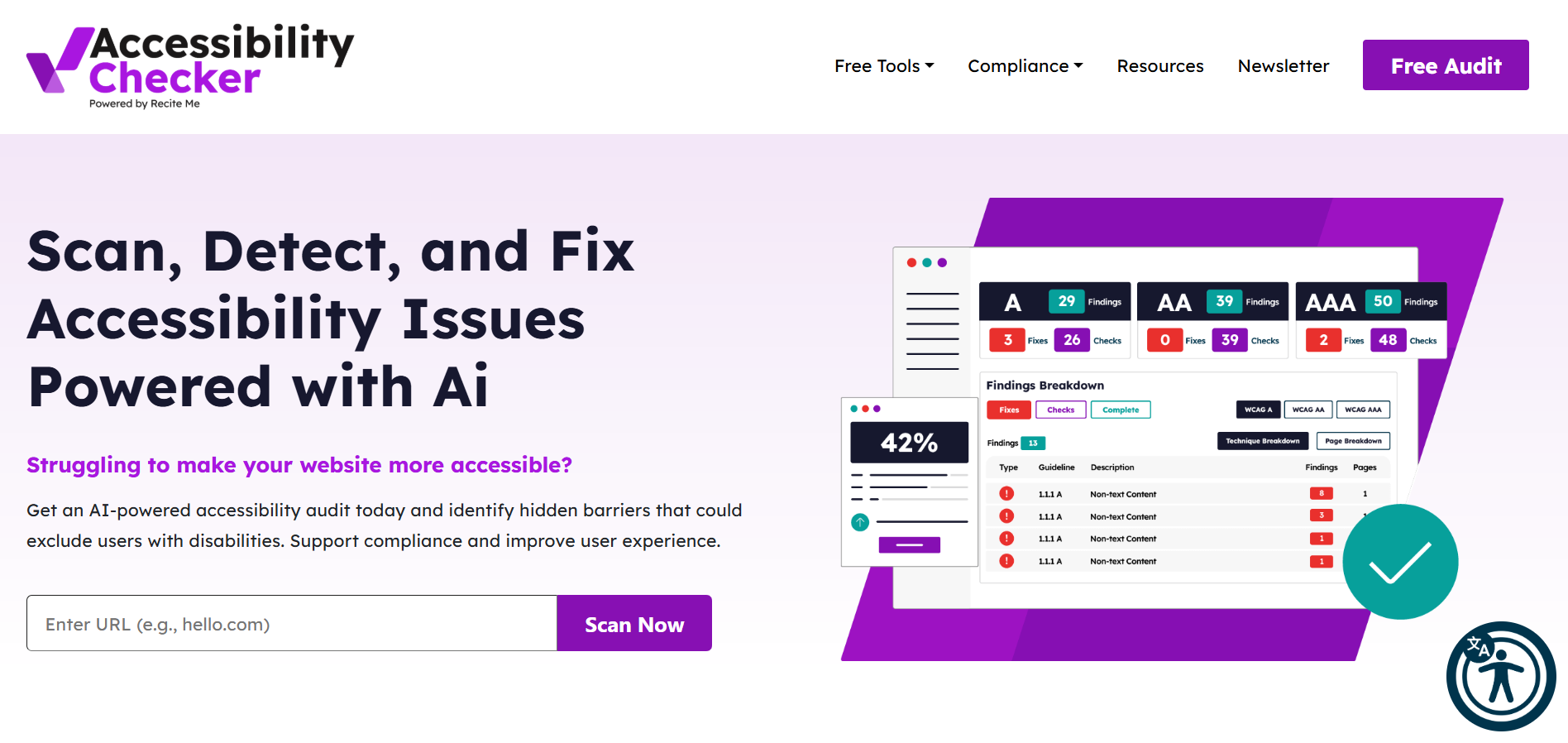
AccessibilityChecker.com offers a scalable compliance platform designed to serve organizations from small businesses through to full enterprise deployments.
Its enterprise tier supports multi-domain management, CI/CD pipeline integration via a robust API, and several AI-powered scanning features.
Additional enterprise features include:
- VPAT generation for procurement compliance
- PDF remediation, which is great for public sector organizations
- Compliance with accessibility legislation (EAA, ADA, PSBAR, ACA, AODA, etc.)
- Every level of WCAG 2.2 is tested
4. TPGi Accessibility Testing Tools
TPGi offers a suite of accessibility tools anchored by the ARC Platform, an enterprise-level solution combining automated scanning, manual testing workflows, and continuous monitoring.
It also integrates nicely with Selenium, Playwright, and CI/CD systems via a RESTful API, making it a natural fit for DevOps teams.
The free ARC Toolkit browser extension also provides page-level WCAG 2.1 A/AA testing for Chrome and Firefox, while the full ARC Platform scales to organization-wide compliance programs with custom reporting.
Finally, the brand’s background in accessibility consultancy means the platform carries significant depth for regulated industries and organizations managing complex accessibility programs across multiple teams.
5. WAVE by WebAIM
WAVE is a widely trusted free accessibility evaluation tool developed by WebAIM. Available as a browser extension for Chrome, Firefox, and Edge, it provides visual feedback directly on the page being tested, overlaying icons that indicate errors, alerts, and structural elements in context. This makes it particularly useful for developers and QA teams performing page-level reviews.
For enterprise use, the WAVE Stand-alone API can be installed, enabling scanning of website pages, password-protected content, and secure environments. Site-wide monitoring is also available via Pope Tech, a WAVE-powered enterprise platform.
Additionally, WAVE errors are now aligned with WCAG 2.2, and its Navigation Order panel gives teams a clear view of keyboard accessibility across pages.
Despite this, it still functions best as a page-level or developer-facing tool rather than an organization-wide compliance platform.
6. IBM Equal Access Accessibility Checker
The IBM Equal Access Accessibility Checker is a free, open-source tool available as a browser extension and an IDE plugin. It tests against WCAG 2.2 at levels A and AA, helping organizations achieve accessibility compliance.
For enterprise development teams, the tool integrates into pipelines via its automation engine, supports Agile workflows, and provides real-time WCAG rule evaluation as developers write code.
Plus, its Keyboard Checker mode and element roles view help developers understand how assistive technologies interpret page structure.
Even though it lacks the centralized dashboards of paid enterprise platforms, it is one of the most developed free tools on the market.
7. Dyno Mapper
Dyno Mapper is a cloud-based platform that combines visual sitemap generation, website crawling, content inventory, and accessibility testing into a single tool.
It scans sites against WCAG 2.1 and 2.2, Section 508, and several international standards, and can crawl up to 200,000 URLs, making it genuinely scalable for large enterprise websites.
Its Visual Accessibility Tester renders results directly on top of page content, giving teams an intuitive view of where issues appear.
Dyno Mapper also includes scheduled re-crawls to alert teams when accessibility problems resurface after site changes, and supports testing behind authentication for private or gated content.
Its content audit capabilities, tracking keyword density, reading level, and outdated content, make it useful beyond pure compliance, particularly for content-heavy organizations.
8. BrowserStack Accessibility Testing
BrowserStack Accessibility Testing enables automated and manual accessibility testing across real browsers and devices, without local setup.
It supports features such as AI-powered workflow analysis, native screen reader support, and centralized reporting with historical trend tracking.
For development teams, BrowserStack integrates directly into developer pipelines, as well as supporting Jira and Azure DevOps for bug reporting.
Its free tier allows unlimited website scans and automated WCAG compliance checks on up to five unique pages per scan. The platform is usually best-suited to QA engineers and accessibility specialists working across large websites.
9. Pa11y
Pa11y is a free, open-source, command-line accessibility testing tool designed for developers who want to embed automated checks directly into their build process.
It runs against any URL using axe-core or HTML CodeSniffer, and integrates into pipelines via pa11y-ci. For teams tracking accessibility across multiple sites over time, the dashboard provides a web-based interface to visualize trends and monitor progression.
Pa11y’s core strength is its automation-first approach, since developers can configure it to simulate user actions before running audits.
Reports are also available in JSON, HTML, CSV, and other formats. However, it does require technical expertise to configure and maintain, and lacks the visual feedback and organizational dashboards of paid enterprise platforms.
10. Uxia
Uxia is an AI-powered UX testing platform that extends accessibility evaluation beyond automated code scanning into real-world usability validation.
It checks products against WCAG standards, automatically flags issues, and assigns them to relevant team members. For instance, the tool allows you to route visual contrast problems to designers and code-level errors to developers.
For enterprise teams, Uxia’s AI-powered testers perform unmoderated task-based tests, surfacing friction points and accessibility barriers that many automated scanners would miss.
Typically, Uxia works best as a complementary layer to site-wide compliance platforms, bringing depth to programs that already have automated scanning in place.
Which Sectors Require an Accessible Website?
Both public and private sector organizations face legal obligations to maintain accessible websites. While the compliance requirements differ by sector and jurisdiction, the regulatory trend is consistent: accessibility standards are becoming mandates, not recommendations. Here’s what you need to know:
Public Sector Organizations
Public sector organizations are subject to Title II of the Americans with Disabilities Act (ADA). In April 2024, the Department of Justice adopted mandatory digital accessibility rules requiring compliance with WCAG 2.1 Level AA. Deadlines were recently extended:
- April 26, 2027 – state and local governments with a total population of 50,000 or more
- April 26, 2028 – entities with populations under 50,000 and all special district governments
The DOJ has confirmed it fully anticipates enforcement at the new deadlines. Therefore, organizations should begin remediation efforts immediately to avoid non-compliance risks.
Private Sector Organizations
Private sector organizations are primarily subject to Title III of the ADA, which prohibits discrimination by places of public accommodation, a category that courts have consistently applied to commercial websites.
Additionally, Section 508 applies to any private organization that receives federal funding or contracts with federal agencies.
In the last year alone, over 6,000 accessibility-related lawsuits were filed in the United States, so this should be a major priority for every business.
Additionally, businesses that sell products or services in the European Union are also subject to the European Accessibility Act (EAA), which has been mandatory for websites since June 28, 2025, requiring WCAG 2.1 Level AA conformance. While this is a European law, it can still be enforced in the United States.
What Are the Most Common Accessibility Issues Detected by Checkers?
Automated accessibility checkers reliably detect roughly 30 to 50% of WCAG issues. According to the WebAIM Million report, the most persistent failures across the web’s top 1 million home pages are:
- Low color contrast – present on over 80% of home pages
- Missing image alt text – still found on nearly half of all sites
- Missing form input labels – a consistent barrier for screen reader users
- Empty links – links with no accessible name
- Empty buttons – interactive elements without descriptive labels
- Missing page language attributes – prevents assistive technologies from identifying content language
The remaining accessibility tweaks require manual review to assess context, for example, whether alt text is meaningful, or whether a keyboard navigation flow is logical.
That’s why the best accessibility checkers should combine automated scanning with manual auditing for comprehensive coverage.
Final verdict on the best web accessibility checkers for large companies
Selecting the right accessibility checker depends on your organization’s scale and compliance obligations. For enterprise organizations managing large, complex websites, Recite Me is the standout, offering full-site crawling, AI-powered remediation, and ongoing compliance monitoring in a single platform.
Other tools in this list serve distinct needs: developer-focused teams may find Pa11y or IBM Equal Access valuable, while organizations seeking user insight can benefit from Uxia.
What matters most is that accessibility becomes a continuous process, not a one-time audit, supported by the right tooling at every stage of development and publishing.
Best Website Accessibility Checkers for Enterprise FAQs
How many accessibility issues can automated checkers detect?
Automated tools reliably detect 30–50% of WCAG issues.
What accessibility standard should enterprise websites comply with?
WCAG 2.2 Level AA is the current benchmark mandates by most accessibility laws..
Can a free tool meet enterprise accessibility needs?
Free tools like WAVE and Pa11y are valuable for developers but lack the site-wide crawling, dashboards, and governance features enterprise organizations require.
How often should enterprise organizations run accessibility scans?
The best platforms offer scheduled or real-time monitoring to catch regressions as they occur. This is important because websites change frequently, and new content can introduce new barriers.