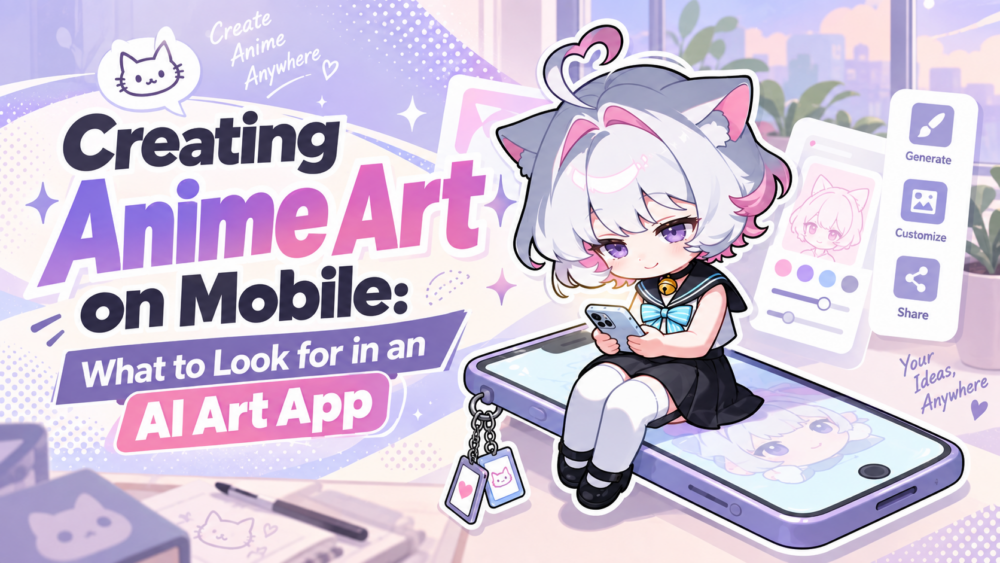
The idea hits you on the train. Or standing in line somewhere. Or right after you took a photo that would make a perfect reference for an OC’s outfit. You’re not near a laptop, you’re not going to be for hours, and the version of you that wants to act on this idea right now only has a phone.
That’s the actual use case for a mobile anime AI app, not “desktop, but smaller,” but “I need to create something real, right here, with nothing but what’s already in my pocket.”
A lot of apps technically qualify as “an anime AI generator you can use on your phone” without actually being good at that specific job. Having an app isn’t the same as being genuinely usable on mobile, and the difference matters more than it might seem.
A cramped port of a desktop interface, with tiny buttons and menus built for a mouse, technically runs on your phone. It just doesn’t respect how you actually hold and tap a phone, and that gap shows up the moment you try to do anything beyond the absolute basics.
Fast, Usable Generation
The core loop, type a prompt, adjust a setting or two, get a result, needs to actually work on a small screen without becoming a fight against the interface itself.
A tiny text field that’s awkward to edit, settings buried three menus deep, a result that takes forever to load on mobile data, any of these can turn a two-minute idea into a ten-minute chore.
This is worth testing directly rather than assuming. Open the app, type a real prompt (not just “test”), and see how many taps and how much waiting stand between you and an actual result.
Pay attention to small friction points too: does the keyboard cover the prompt field while you’re typing, is the generate button reachable with one thumb, does the app lose your prompt if a notification interrupts you.
None of these are dramatic on their own, but they add up fast on a device you’re using in short bursts rather than one long, focused session. If it feels clunky on the first try, it’s probably going to feel clunky every time after that too.
Easy Model Switching
Just like on desktop, different anime-focused models produce noticeably different results from the same prompt, and that doesn’t stop mattering just because you’re on your phone.
If switching models on mobile means digging through settings menus that clearly weren’t designed for a touchscreen, you’ll probably just stop bothering and stick with whatever’s already selected, even when a different model would’ve served your idea better.
A genuinely useful mobile app keeps model switching close to the main generation flow, not buried somewhere that discourages you from doing it.
The easier it is to try a different model mid-session, the more likely you actually are to land on a result you’re happy with instead of settling for whatever the default gives you.
LoRA and Reference Images
This is where mobile can actually beat desktop in one specific way: your reference photos are usually already on your phone. A texture you photographed, an outfit reference, a previous piece of your own art, it’s sitting right there in your camera roll, no transferring files between devices required.
On desktop, using that same reference often means emailing it to yourself or digging through a cloud sync first. On mobile, it should just be a tap away.
A good mobile anime AI app makes it simple to pull a reference image straight from your gallery and use it in a generation, and to apply LoRAs for character or style control without the process feeling like a workaround.
If uploading a reference or applying a LoRA requires jumping through several extra steps compared to the desktop version, that’s a sign the mobile experience was an afterthought rather than something actually built for how people create on their phones.
Given that reference availability is genuinely one of mobile’s biggest natural advantages, an app that fumbles this specific workflow is missing the whole point of being mobile in the first place.
Editing and Iteration
Generating once and being done isn’t really how creative work goes, on mobile or anywhere else. You’ll want to adjust an expression, try a different color, fix one detail that’s bugging you, and a good app should let you do that without starting the whole generation over from scratch.
Look for editing tools that let you refine a specific part of a result directly on your phone, rather than an app that only supports one-shot generation and forces you to regenerate the entire image every time something small needs changing. This is the difference between an app you actually develop ideas in and one you just poke at occasionally.
Artwork Management
Creating on the go is only half the picture. You also need to find what you made later, on the same device or a different one. Can you actually locate a piece you generated last week without endless scrolling?
Does your work sync if you switch from your phone to a tablet or desktop later? Is there any organization at all, or is everything just a flat, undifferentiated feed of everything you’ve ever generated?
This matters more than it seems like it should, especially for anyone doing ongoing character work. A reference or a favorite generation you can’t find again two weeks later is functionally lost, even if it’s technically still stored somewhere in the app.
And it’s a bigger deal on mobile specifically than it might seem on desktop, because a lot of mobile generation happens in short, scattered bursts, a few minutes here, a quick idea there, rather than one focused sitting.
Without decent organization, those scattered sessions turn into a pile of results you can never quite track back down when you actually need one of them.
Where PixAI Fits?
The PixAI App is a useful example of what a deeper mobile anime creation workflow can look like rather than a stripped-down companion to the desktop experience.
Model switching, LoRA and reference support, and editing tools are available directly on mobile, which means you’re not limited to basic prompt-and-generate the moment you leave your desk. Artwork created on mobile stays connected to your account rather than living in some separate mobile-only space, so picking a project back up on desktop later isn’t a hassle.
If you want the specifics of setting it up and using it, the app guide linked above covers that in more detail than makes sense to repeat here.
When Desktop May Still Be Better?
None of this means mobile replaces desktop for everything, and it’s worth being honest about where it doesn’t. Heavier, multi-stage workflows, generation into editing into animation, tend to benefit from a larger screen where you can actually see everything laid out at once.
Projects involving a lot of assets, several reference images, multiple saved LoRAs, ongoing character sheets, are generally easier to manage with more screen real estate and a mouse than with your thumb on a six-inch display.
Mobile’s real strength is capturing and acting on an idea the moment it happens, testing a concept, trying a quick variation, generating something while you’re away from your main setup.
For deep, sustained project work, desktop still tends to have the edge, and that’s a reasonable division of labor rather than a knock against mobile.
Conclusion
A mobile anime AI app is genuinely useful when it lets you do more than just generate a single quick image on a small screen, model switching, reference and LoRA support, editing, and being able to actually find your work again later are what separate a real mobile workflow from a stripped-down demo.
Before you settle on an app, run through these checks with your own phone in hand: try switching models, try uploading a reference from your camera roll, try editing a result instead of regenerating it, and see how easy it actually is to find something you made last week. That’ll tell you more than any feature list will.