There are two spare screens in your storage room right now. One is a hand-me-down TV from the conference room, the other is a monitor nobody claimed after the desktop upgrade. Together they cost you nothing and do nothing. That is the whole problem in a sentence.
Most owners assume a working display means a new purchase: a commercial panel, a media player, a mounting crew. It usually does not. The screen is already there. What’s missing is a plan for what shows up on it and a way to push that content without walking over with a USB stick every morning.
If you’ve been circling the idea for a while, start with a look at digital signage solutions to see what the software layer actually looks like before you assume you need hardware.
Why the hardware question is the wrong question?
The screen is the cheapest part of this whole equation, and you already own it. The real decision is what runs on it and who can change it. Get that wrong and you end up with a beautiful panel showing a slideshow from a year ago.
Start with the content, not the device. I’ve watched a dozen small operations go the other way and every one of them stalled. They bought the mount, ran the cable, and then sat in front of an empty playlist wondering what to put on it. Decide the three things your screen should say on a normal Tuesday, and the hardware choice shrinks to almost nothing.
The other trap is assuming old means useless. A tablet from four years ago can drive a menu board. A streaming stick plugged into the back of a TV can push a schedule to a lobby display. Neither is glamorous. Both work.
What does a spare screen actually need to be useful?
Four things. A power source, a network connection, something sending it content, and a reason for anyone to look at it. That last one is where most setups fail, and it is not a technical problem.
Walk through your space with a notepad and answer these:
- Where do people stand still for more than a few seconds? That’s your screen spot.
- What question do they ask your staff most often? That’s your first slide.
- Who needs to update that slide, and do they have two minutes to learn a new tool?
- Is there a power outlet within a cable’s reach of the wall you picked?
I’d bet your answer to the second question alone justifies the whole project. Every screen that kills a repeated question is a screen that paid for itself in a week of staff patience.
The setup I’d actually run
Here’s the configuration I’d pick if this were my own shop, and I’d pick it because it fails gracefully. When the internet drops, the screen keeps showing the last playlist it downloaded. That matters more than any feature list.
Step one: pick the screen and mount it at eye level
Not above the door frame. Not in the corner behind the plant. Eye level for a standing adult, roughly the height you’d look at a poster on a wall. If you’re using a tablet, a cheap wall bracket and a short cable run will do the job in under an hour.
Step two: choose a player that matches what you already own
If the screen is a TV with a streaming stick port, use that. If it’s a tablet, run the app natively. If it’s an old monitor, a small stick computer behind the panel solves it. The point is to spend as close to zero as you can on the device and put the budget into content instead.
Step three: build a playlist with a clock on it
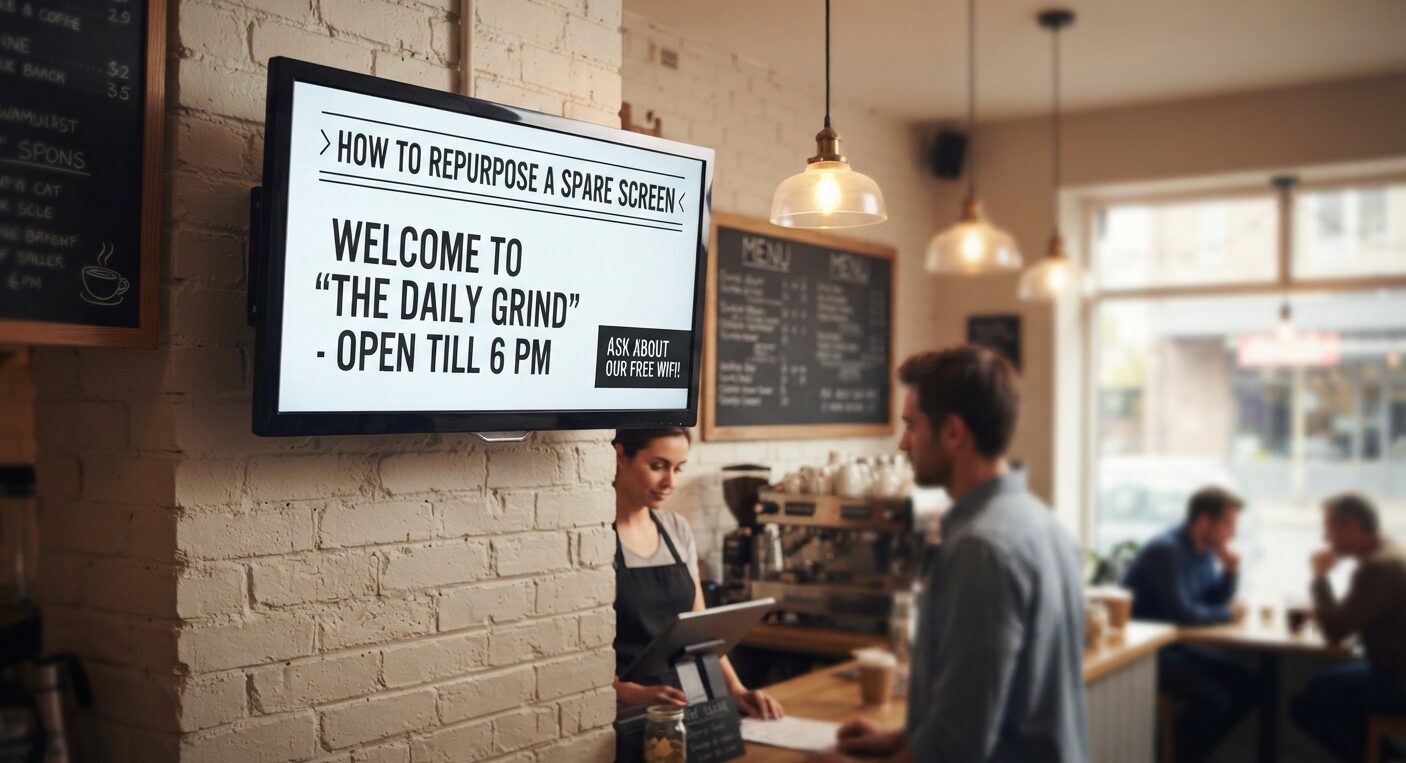
Five to seven slides. Each one visible for long enough to read twice. Mix a greeting, the answer to your most common question, one offer, and one thing that changes weekly so regulars have a reason to glance. Rotate the offer on a schedule, not by memory.
Step four: hand someone the keys
One person owns the screen. Two people can edit it. Everyone else can look. That structure prevents the classic failure where six people upload six competing messages and the screen becomes noise.
A test you can run in one afternoon
Before you commit to anything, do this. Take the spare screen, put it on a chair facing your entrance, and run a single slide for four hours. Then stand near it and count how many people look at it for more than two seconds.
You’ll learn two things fast. Whether the location works, and whether your message is readable from where people actually stand. I’ve seen this test kill a screen placement that looked perfect on paper because the glare from the front window washed out the whole display by 2 p.m. That is not something you can reason your way to. You have to stand there and watch it.
If nobody looks, move the screen. If people look and squint, your text is too small. If people look and walk away, your content is answering a question nobody has.
Where small operators get the economics wrong?
Panels have gotten cheaper and content has gotten more expensive, which is the opposite of what most owners assume. A screen that shows nothing useful is a slow leak of attention and a visible sign that nobody is home.
Small businesses are the majority of the American employer base, according to the U.S. Census Bureau, which means most of the people reading this are working without a marketing department. You don’t need one. You need a schedule and someone who cares about the wording.
Here’s the number that should reframe your budget: the setup cost of a software-driven screen is a rounding error next to the cost of a single staff hour per week spent answering the same question at the counter. Do that math on your own numbers before you decide the project is too expensive.
Keep the network boring
Every deployment I’ve seen fall apart fell apart on connectivity, not content. The screen needs a stable connection, and the safest version is a wired one if the outlet allows it. Wireless is fine until the router reboots and nobody notices for three days.
Set the player to check for updates on a fixed schedule and confirm it reconnects after a power cut. NIST publishes widely used guidance on device security basics, and the short version you need here is this: change the default password on anything that touches your network, including the screen. That single step is not optional and it takes four minutes.
Keep the screen on its own guest network if your router supports it. That way a compromised device never sits next to the point of sale system.
What this looks like after a month?
You’ll have a playlist that updates on a schedule, a person who owns it, and a screen that answers one recurring question without a staff member opening their mouth. The hardware never changed. The cost stayed near zero. That is the whole win, and it is a bigger one than it sounds.
One more thing worth checking before you scale to a second screen. Confirm your setup will survive a replacement, because vendors and platforms do change.
The U.S. General Services Administration maintains public guidance on technology procurement and lifecycle planning that’s worth a skim if you ever buy hardware through a contract, and the habit of planning for replacement applies whether you do or not.
Your next move
Pick the screen today. Answer the four questions in the second section on a piece of paper. Run the four-hour test this week. Everything else, the player, the mount, the playlist, follows from those three things and none of it requires a purchase you can’t cancel.
So which screen in your building is already doing nothing? Go stand next to it for a minute and ask what it should be saying.